THE NUMBER & BRUSH PAINT-BY-NUMBER MAKER
Start with your photo.
Make it your painting.
That face you love. That place you keep coming back to. Turn a favorite photo into a custom paint-by-number design, one color at a time.
Create your paintingPreview your design before ordering. Complete kits are $49.95 with free US shipping.
Same moment. A new way to enjoy it.
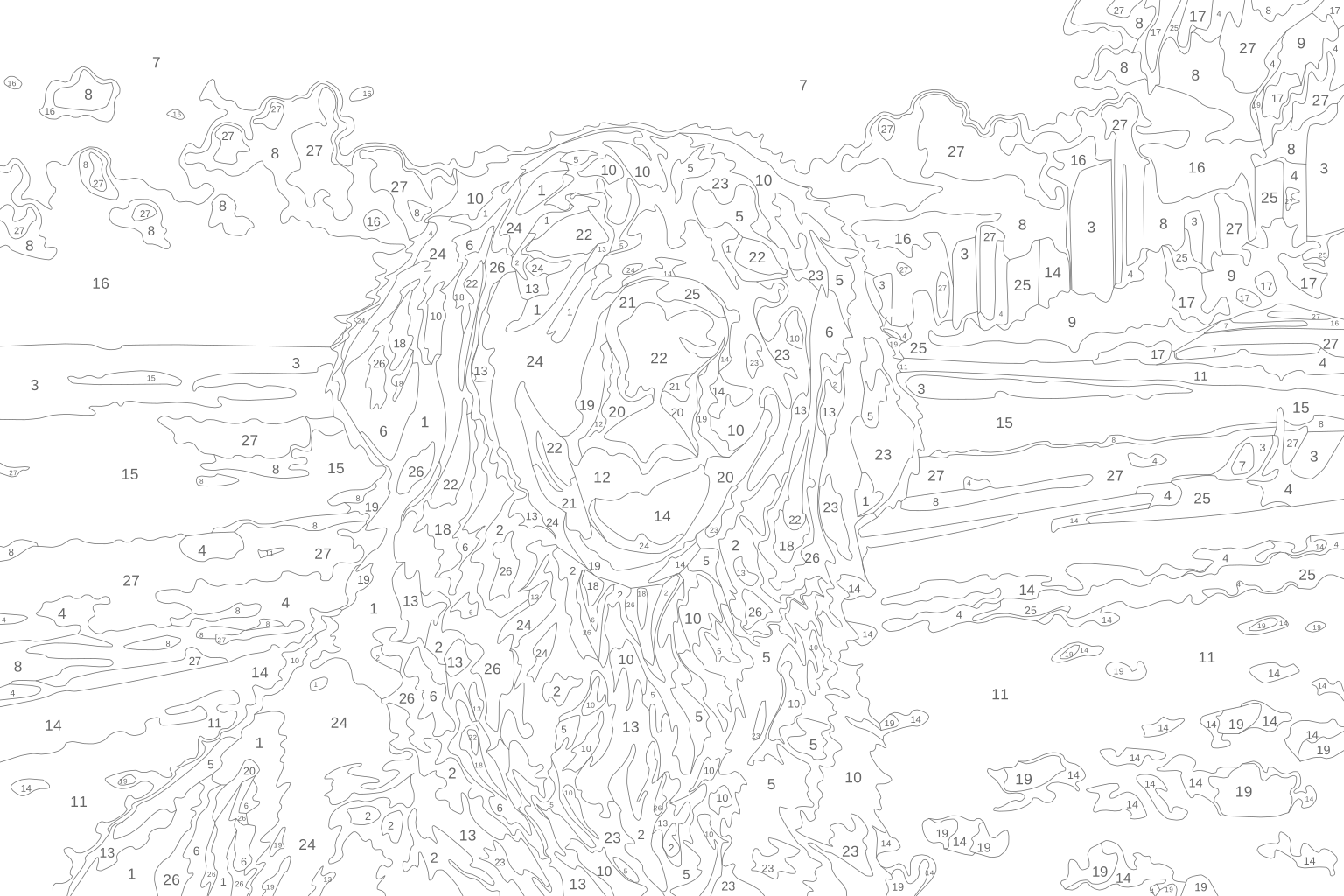
An actual example from our generator.
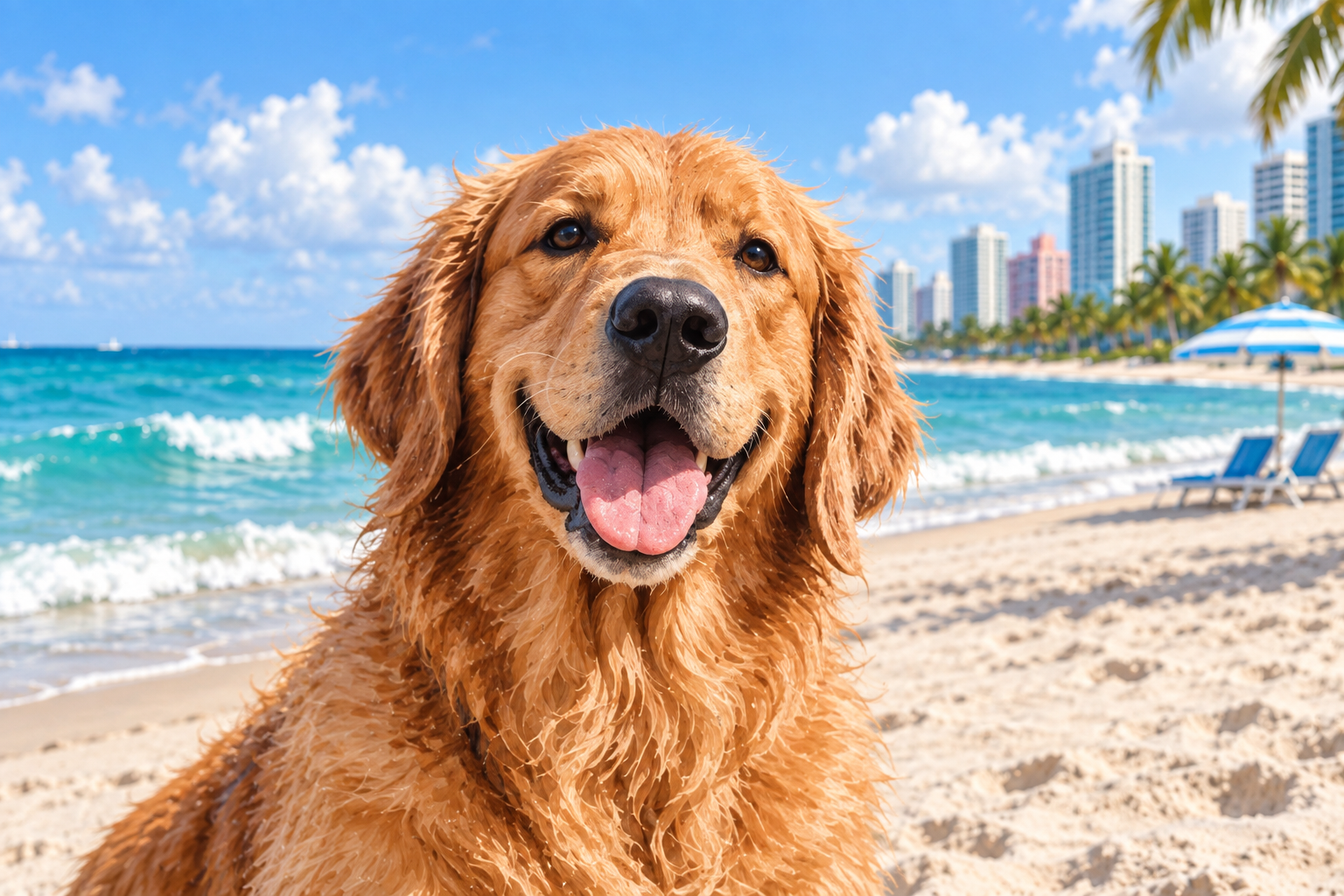
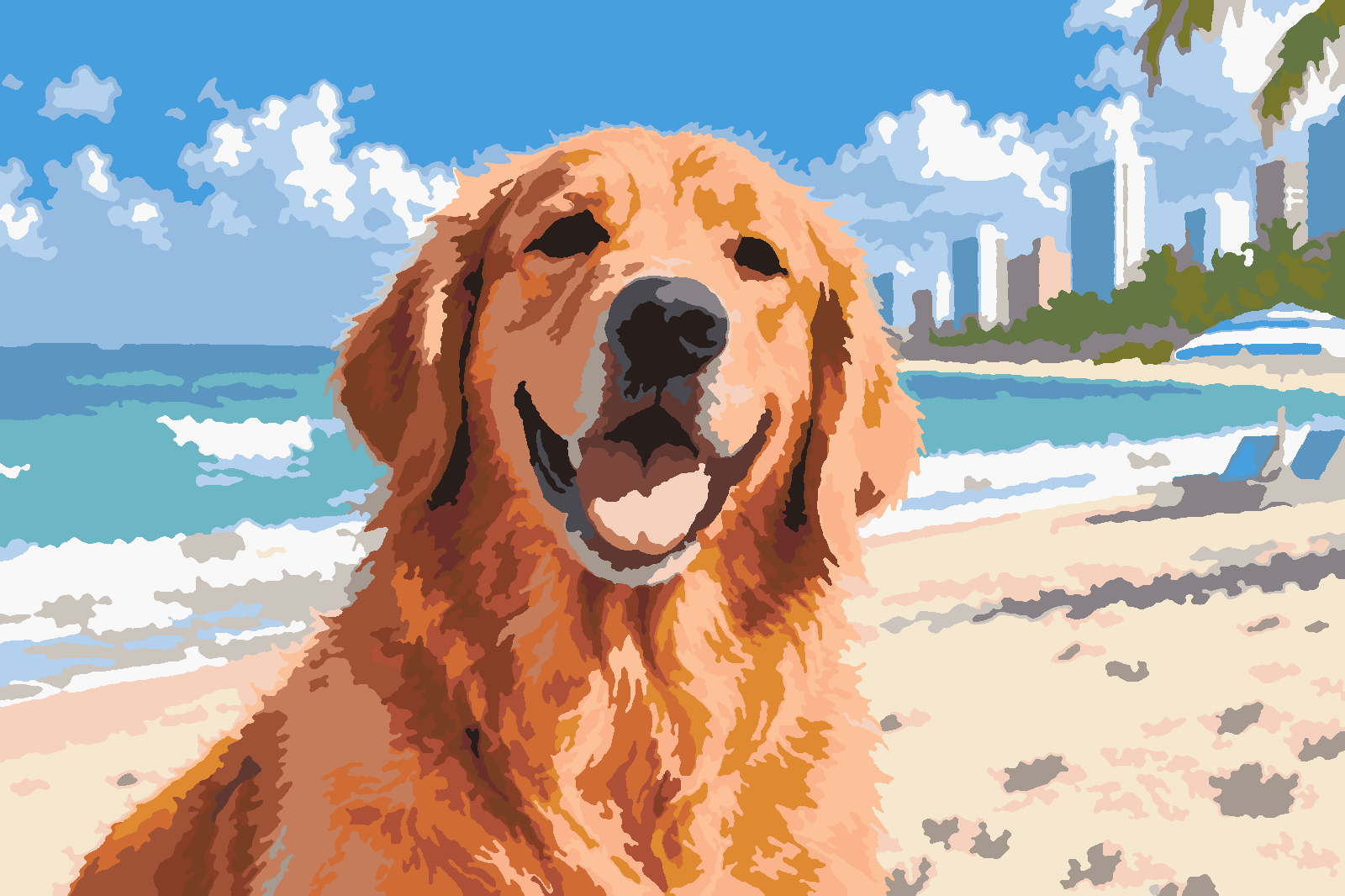
This is generated artwork, not a photograph of a finished painting. Actual painted colors may vary from your screen.
FROM A MOMENT TO SOMETHING YOU MAKE
How a photo becomes a paint-by-number.
- 01
Choose your photo
A pet portrait, a family moment, or a place with a story. Start with a clear image and choose which part you want to paint.
- 02
Explore your preview
The maker groups colors into paintable shapes. You can preview the result before choosing your design, with automatic eye detection available for portraits and animals.
- 03
Follow the numbers
The design becomes a numbered template with a matching color reference. Each number tells you which paint belongs in that region.
A LITTLE STRUCTURE. PLENTY OF YOU.
A guide for every brushstroke.
The numbered template separates the image into outlined regions. Its companion color reference shows how those regions come together.
Our goal is to keep the details that make a photo feel personal while simplifying it into something enjoyable to paint.
GIVE YOUR PAINTING A GOOD START
What makes a good photo?
The clearest memories don’t always come from the clearest photos. These small choices help the maker find what matters.
Keep the subject easy to see
Choose a photo where the person, pet, or object fills a useful part of the frame. Very small faces leave less room for recognizable detail.
Look for light and separation
Even lighting and a subject that stands out from the background usually give you a clearer starting point than deep shadows or a busy backdrop.
Use the original image
An original camera file is a better starting point than a small screenshot or a heavily compressed social-media download. The maker accepts JPEG, PNG, and iPhone HEIC photos.
Choose the crop deliberately
Keep the details you care about inside the frame. You can retain the original aspect ratio, within our supported size limits, or use a fixed canvas shape.
A FEW THINGS TO KNOW
Before you make your first painting.
Can I use the paint-by-number maker now?
The generator is currently available to invited testers. Public ordering is not open yet. You can contact us below to ask about early access; an inquiry does not create an order or guarantee an invitation.
What sizes does the maker support?
Designs can be portrait or landscape, with the shorter side up to 16 inches and the longer side up to 24 inches. Keeping your original aspect ratio can produce dimensions within that envelope, rather than cropping to a standard shape.
Will it look exactly like my photograph?
Paint-by-number designs simplify a photograph into a limited palette and distinct regions. Expect a different look from the original, especially in fine textures and backgrounds. The preview helps you judge the result before choosing a design.
Is this a free printable-template service?
Number & Brush is developing custom physical paint-by-number kits. We are not currently offering a public free-template service. The template shown here is an example of the generator’s output.
Could I make a gift or paint the same photo with friends?
Those are experiences we’re working toward. A shared photo can become a personal gift or a project for a group. Contact us about what you have in mind while we prepare for launch.
SOMETHING PERSONAL IS TAKING SHAPE
Have a photo in mind?
Upload your photo and see it become a custom paint-by-number design.
Start with your photo